CedarRise Website
Extending a brand identity into a full public website and an internal admin dashboard — the hardest part of the whole project — for an NGO running several live programmes at once.
The short version
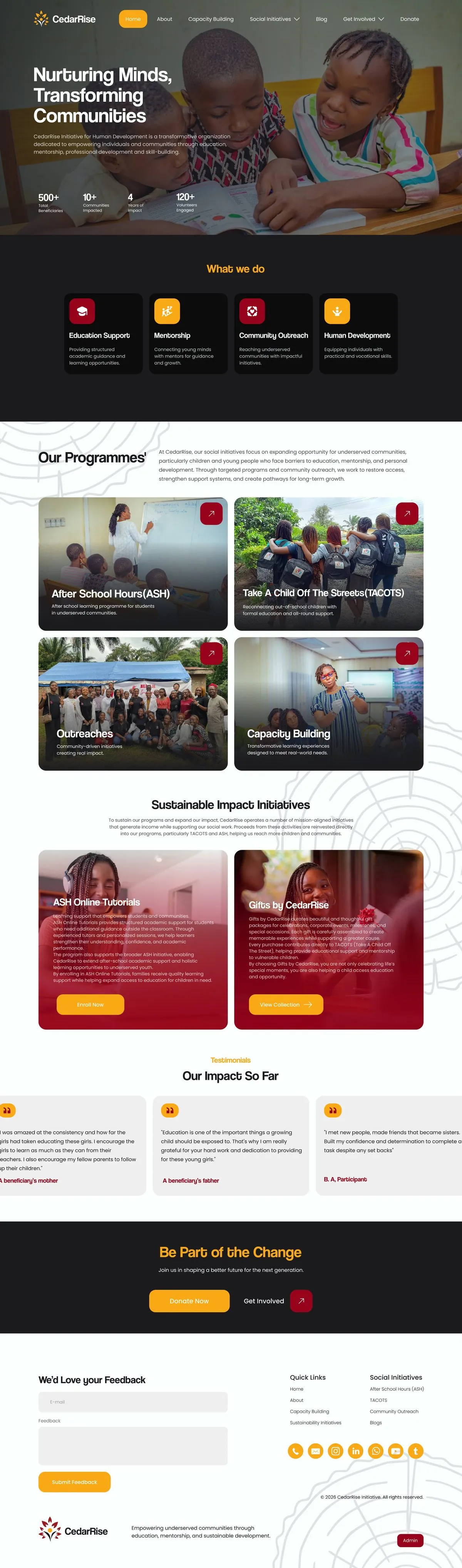
The same product manager who commissioned CedarRise's brand identity came back for the organisation's next step: a full website. I took charge of the build end to end — the public-facing site across every programme, and an internal admin dashboard for the team managing it all day to day, which turned out to be the hardest part of the whole project.
A returning client, a bigger project
Having already built CedarRise's brand identity, extending it into a full website was a natural next step — but a much bigger one. Instead of one mark and a colour system, this meant a complete public site across several live programmes (ASH, TACOTS, Outreaches, Capacity Building), plus an internal system for the team running them.
Two very different users
The public site needed to move visitors toward donating, volunteering or enrolling. The admin side needed to give non-technical programme staff a way to track real operational data — enrolment, dropout trends, mentorship hours, acceptance rates — across multiple programmes, without needing a background in data to read it.
What the design had to do
Extend CedarRise's existing brand — mark, colour system, tone — across a much larger public site.
Since this was CedarRise's first full website, go through every page personally so the team understood the structure.
Turn genuinely complex programme data into a dashboard staff could actually read and act on daily.
What I actually did
I worked as UI/UX Designer, Website Designer and Brand & Digital Designer, covering the full public site — Home, About, Capacity Building, the individual programme pages, Blog and Get Involved — and the internal admin dashboard used to manage forms, tracking and records across every programme.
How it came together
Since the identity already existed from the earlier brand project, the starting point was structure, not style — mapping every page the site needed before designing any of them. I grouped the sitemap by programme (Home Pages, ASH Pages, TACOTS Pages, Volunteer Pages) so each initiative could be designed as its own self-contained section rather than fighting for space on shared templates.
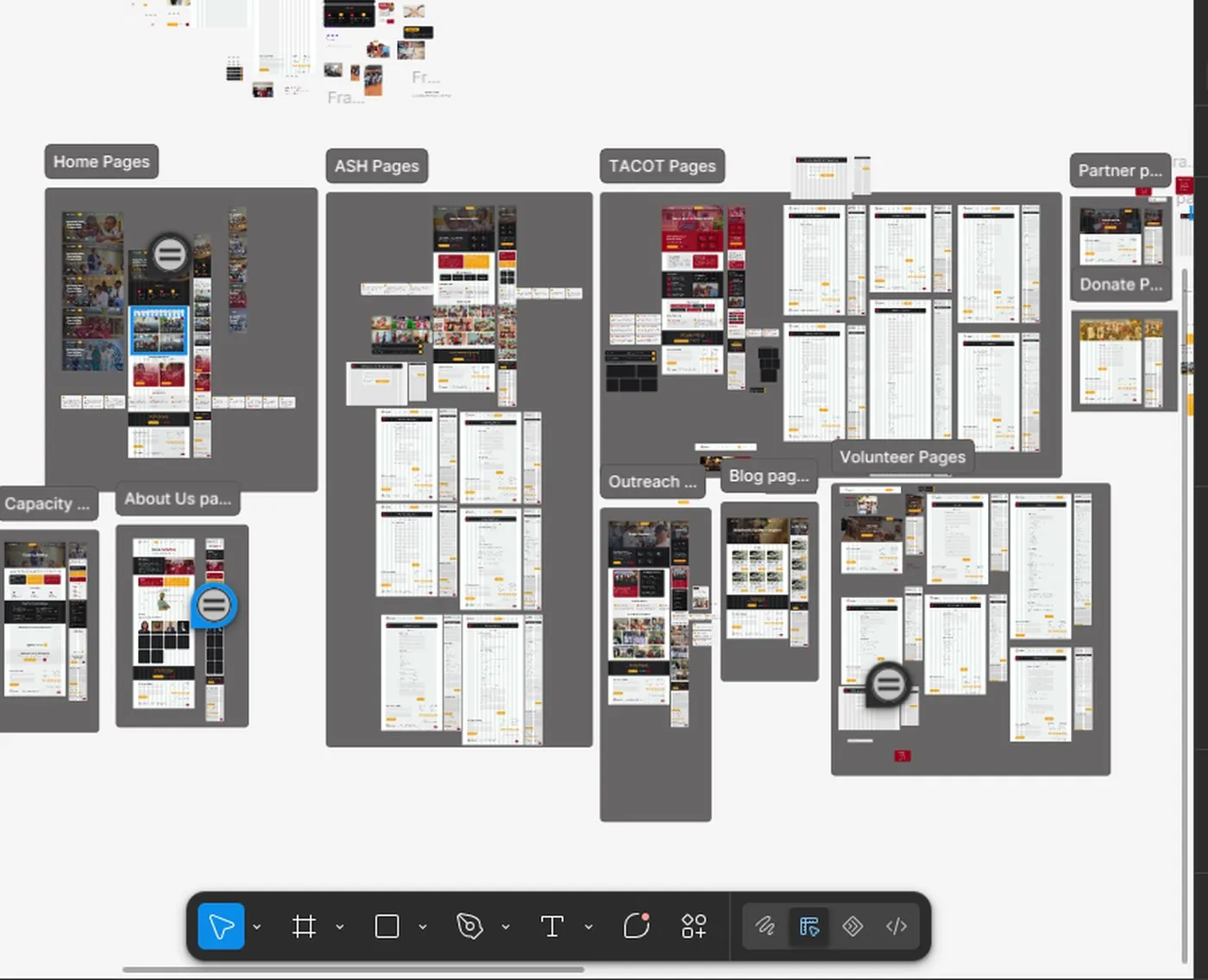
Sitemap, grouped by programme
The admin side needed the same kind of structural thinking before any screen design: forms and tracking data for ASH, TACOTS, Outreaches and Capacity Building each had to live somewhere logical, alongside content management and records. Since this was CedarRise's first full website, I walked the client through every page as it came together rather than handing over a finished file at the end.
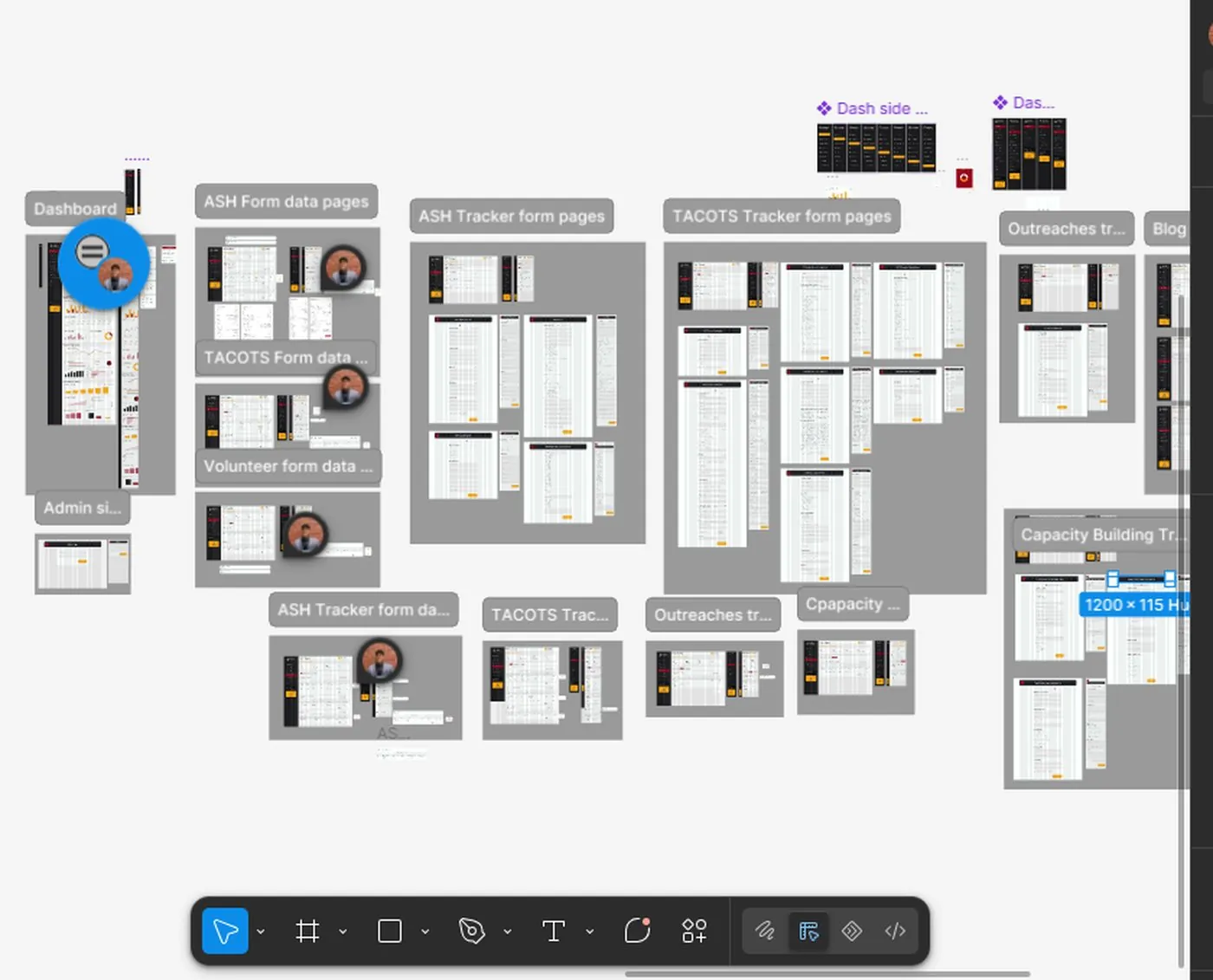
Admin structure, planned before any dashboard screen was designed
Why it looks the way it does
One identity, two audiences
The same red, gold and near-black system from the brand identity carries through both the public site — built to inspire trust and donations — and the admin dashboard, so it reads as one product even though the two sides serve completely different people.
Data grouped by programme, not by chart type
The dashboard's KPI cards are grouped by programme first — Home, Volunteers, Capacity Building, ASH, TACOTS, Outreaches — before any chart appears, so staff can find the numbers for the programme they run without scanning the whole page.
The public site and the admin dashboard
Each programme gets its own page — story, numbers, and a clear next step — before the admin dashboard takes over behind the scenes.
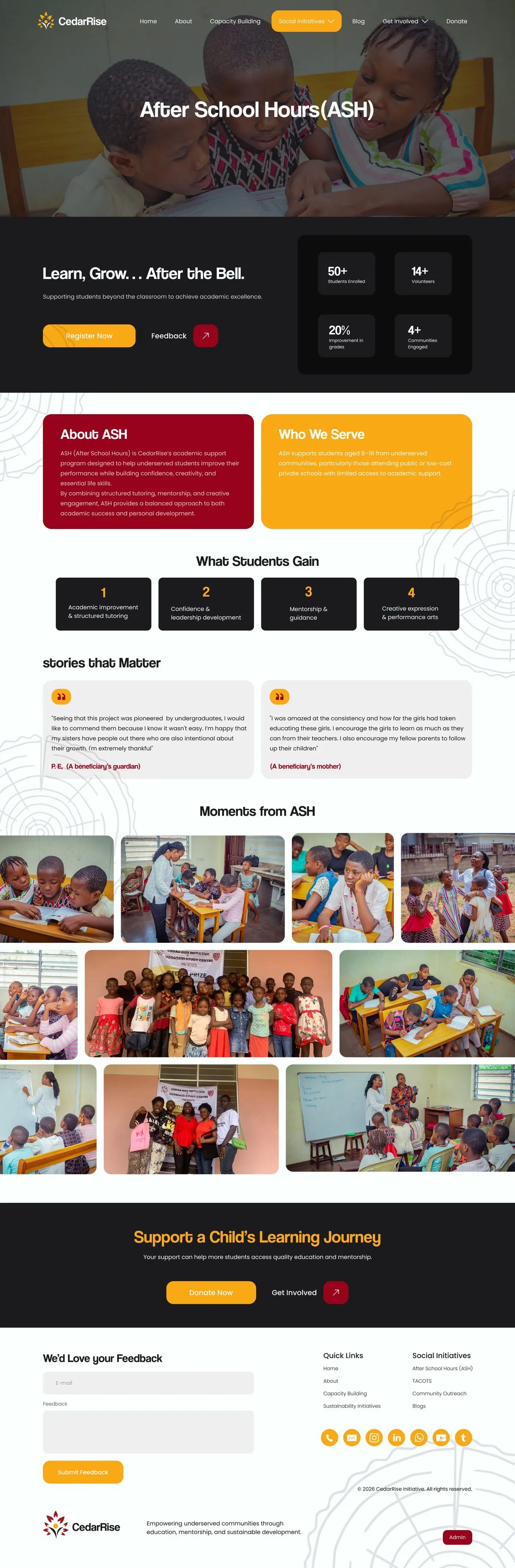
ASH — After School Hours
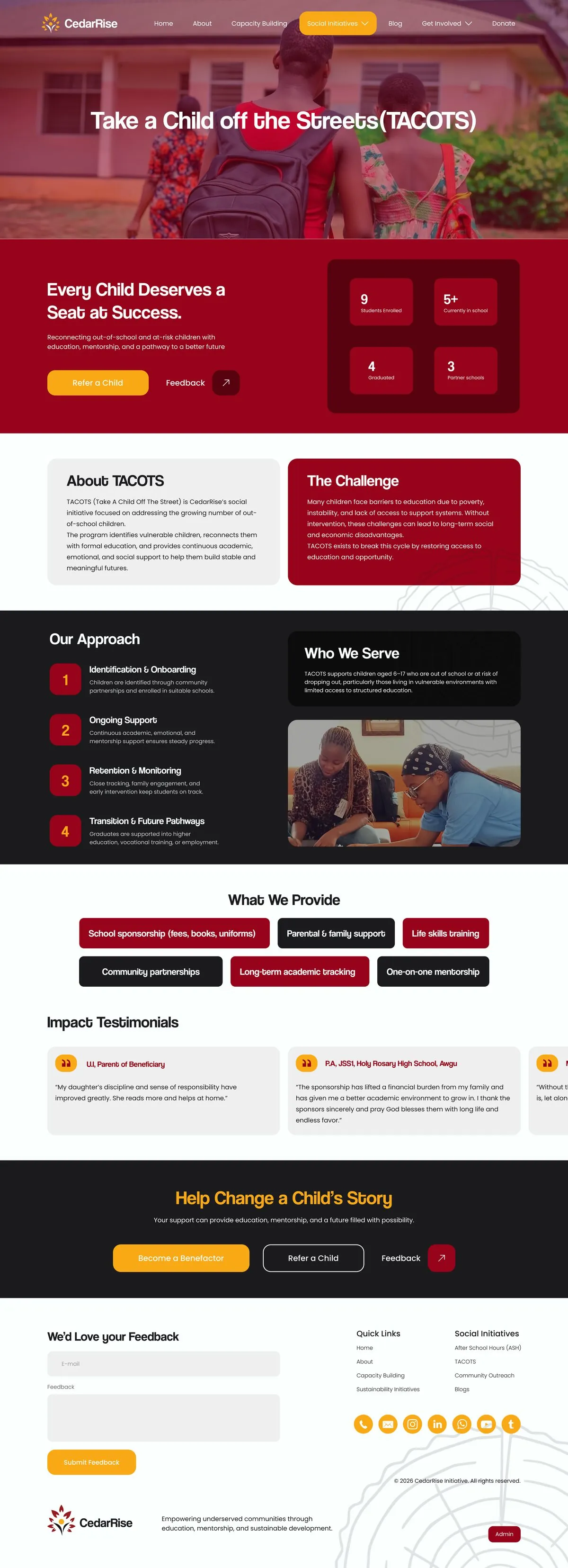
TACOTS — Take A Child Off The Streets
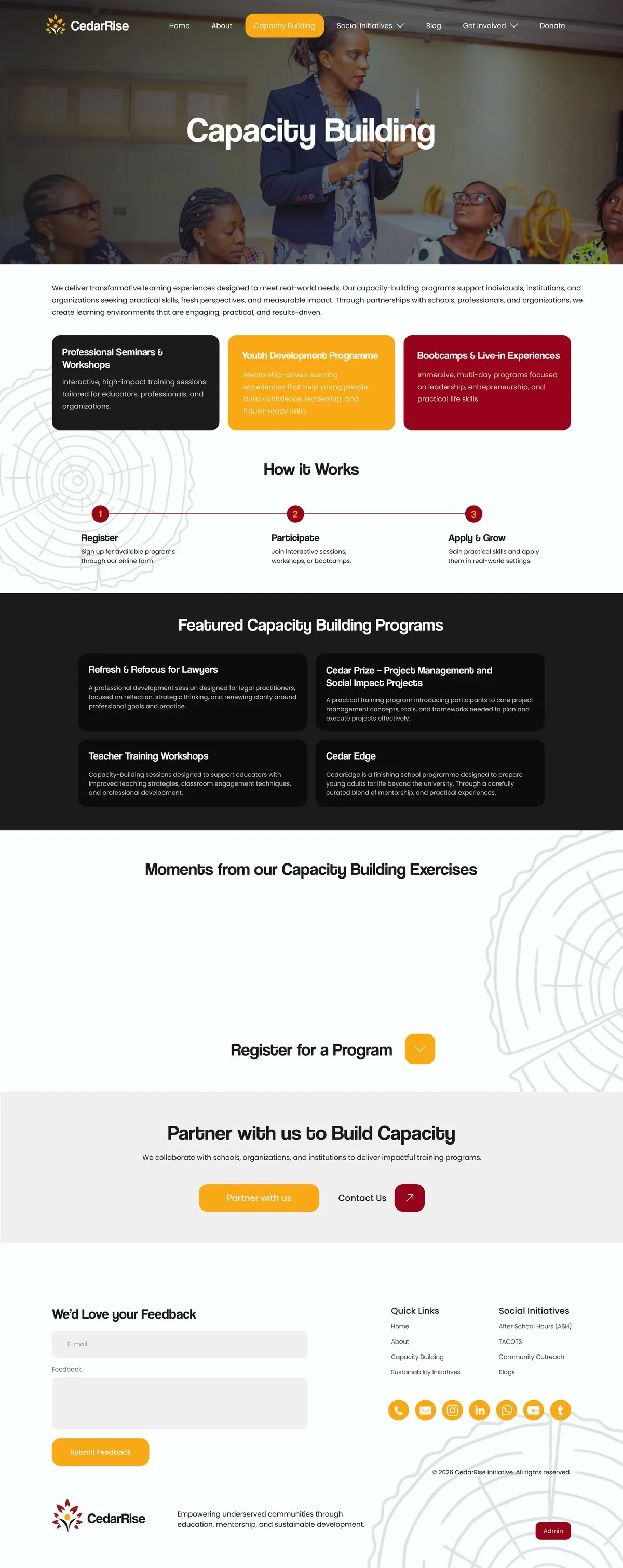
Capacity Building
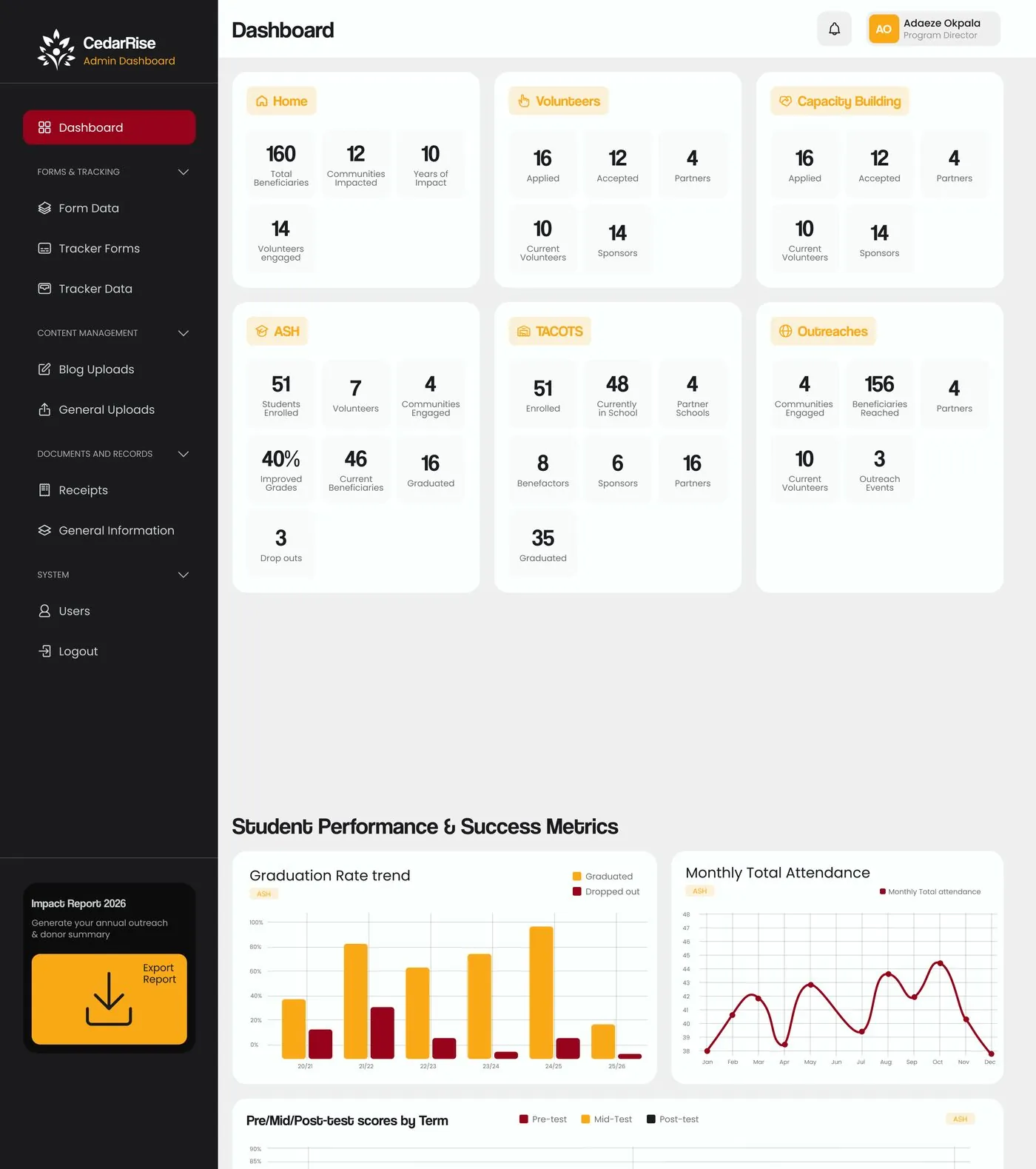
Admin dashboard — programme overview
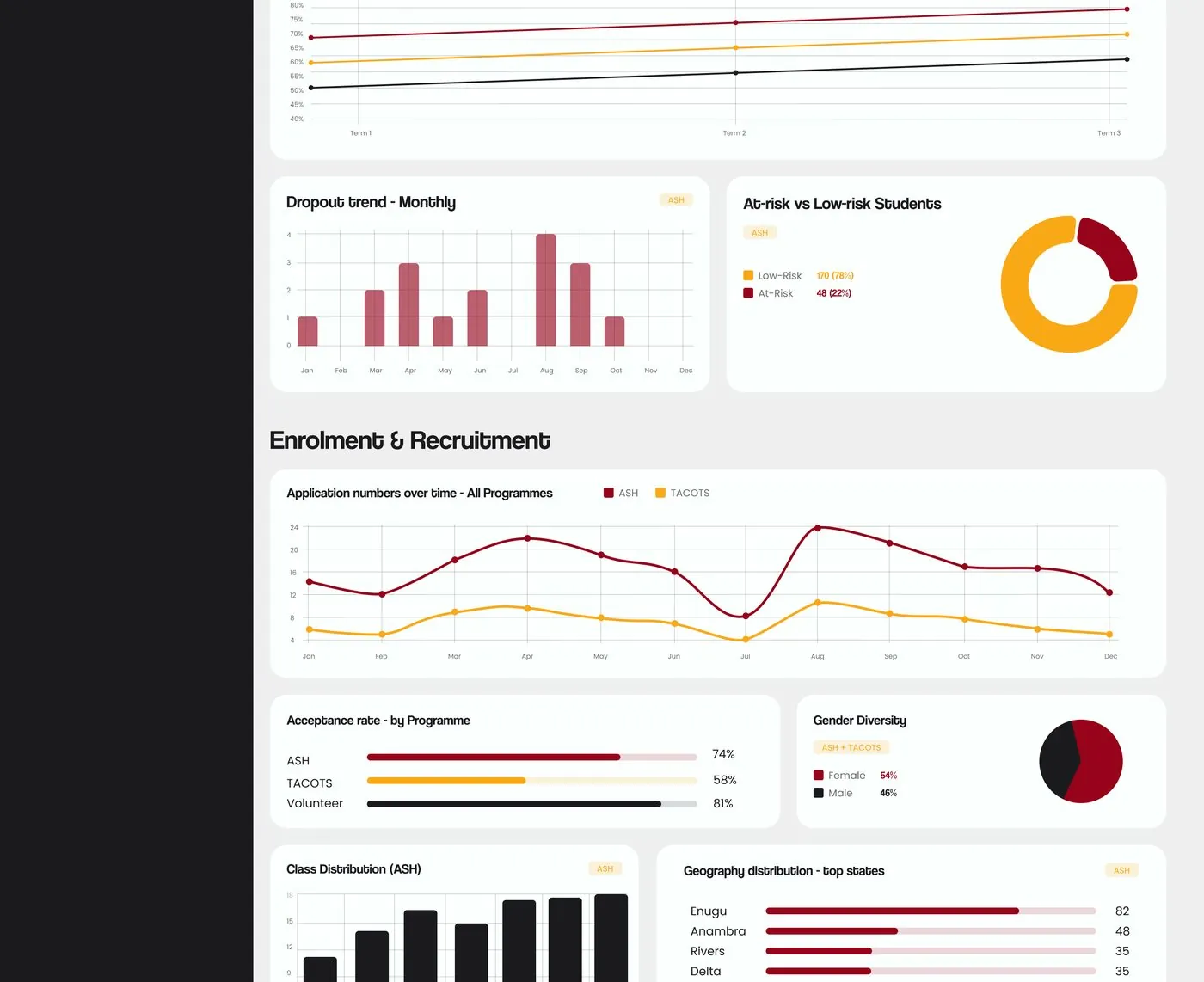
Admin dashboard — student performance & success metrics
Where this stands
The site is live and in daily use — the public side for visitors, donors and volunteers, and the admin dashboard for CedarRise's internal team tracking ASH, TACOTS, Outreaches and Capacity Building. You can see it for yourself at the link below.
What this project taught me
Being trusted with a second, much larger project by the same client meant the brand-identity work had done its job — but it also raised the bar. The admin dashboard was the real test: translating operational data I didn't have a background in into something programme staff could read at a glance took more back-and-forth with the client than any other part of the build, and walking them through every page as it was designed — rather than at the end — made that process work.